Free
Monitor allowance
20
Free
/year
Billed once per year.
20 monitors with checks every 5 minutes.
Get Started
No credit card required.
Publish progress on a hosted status page, then share the link with clients who ask.
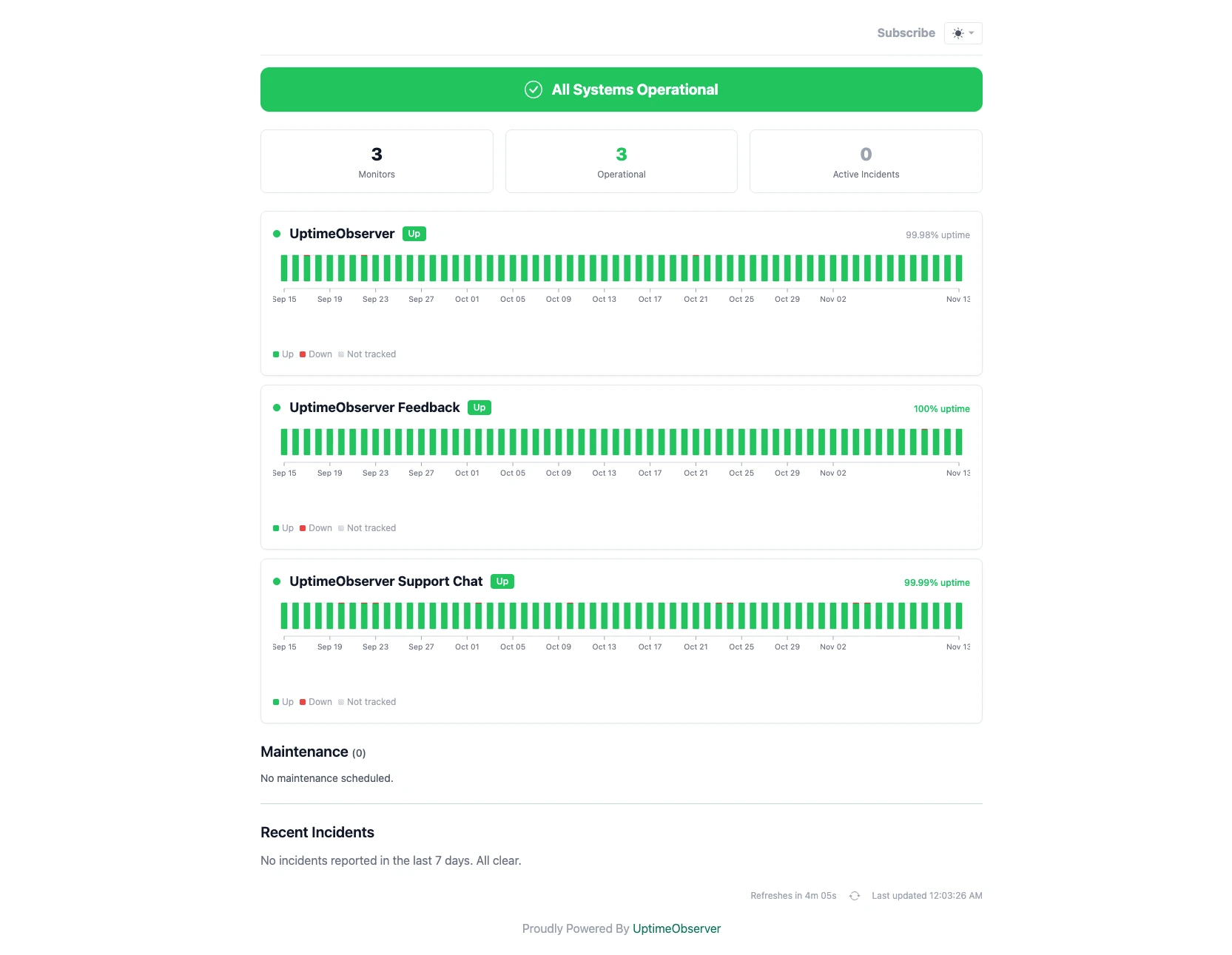
Show clients which services are affected, post progress as you investigate, and list upcoming maintenance on the same page.
On Indie and Pro, publish your status page at an address like status.example.com. Add your logo so clients recognize the page.
Clients can subscribe by email and choose to hear when an incident opens, when it’s resolved, or when a new comment is posted.
Choose which monitors to show, publish the page, and share the link with clients.
Give your page a name. You can also add a description and upload your logo.
Select the monitors you want to show. Display each one on its own, or group related monitors under a name like “Client portal.”
Publish your status page and add the link to your support emails or website footer. During an outage, share that same link with clients who ask for an update.
The Free plan includes one hosted status page.
Need alerts for your team, too? See where UptimeObserver can send downtime alerts.
“Reliable Website Monitoring with Instant Telegram Alerts.”
Florin B.
AI Engineer, Freelancer
“Easy Setup, Helpful UptimeObserver Team, and Generous Plans.”
Icaro F.
Software Engineer, Small Business
“Simple to Use with Excellent & Fast Support.”
Verified User
Managing Director, Small Business
Start with 20 monitors free.
Monitor allowance
20
Billed once per year.
20 monitors with checks every 5 minutes.
No credit card required.
Monitor allowance
50
Billed once per year.
50 monitors with checks every minute.
14-day trial. Credit card required; you’ll be charged when the trial ends unless you cancel beforehand.
Monitor allowance
200
Billed once per year.
200 monitors with checks every 30 seconds.
14-day trial. Credit card required; you’ll be charged when the trial ends unless you cancel beforehand.
Yearly prices are billed once per year, not monthly. EUR and USD are separate price lists, not automatic currency conversions.
These paid offers apply to first-time paid subscriptions, including upgrades from Free. Your current paid subscription keeps its existing price and monitor allowance.
On smaller screens, scroll the table horizontally to compare plans.
| Feature | Free | Indie | Pro |
|---|---|---|---|
| Monitor allowance | 20 | 50 / 100 | 200 / 400 |
| Availability-check interval | 5 minutes | 1 minute | 30 seconds |
| Email alert recipients | 1 | 3 | 10 |
| Status pages | 1 | 5 | 10 |
| Status pages with custom domains | Not included | Included | Included |
| HTTPS monitoring | Included | Included | Included |
| DNS monitoring | Included | Included | Included |
| Port monitoring | Included | Included | Included |
| SSL monitoring | Not included | Included | Included |
| Domain name expiry monitoring | Not included | Included | Included |
| PageSpeed Insights (PSI) monitoring | Not included | Included | Included |
| Email alerts | Included | Included | Included |
| Telegram alerts | Included | Included | Included |
| Pushover alerts | Included | Included | Included |
| Slack alerts | Not included | Included | Included |
| Discord alerts | Not included | Included | Included |
| Webhook alerts | 2 | 20 | 50 |
| MCP server access | Included | Included | Included |
| Email and chat support | Standard support | Priority support | Priority support |